
Loading…
Loading…
Home › Products › Protocol Converters › WE62C
Protocol Converters
Bridge serial Modbus RTU equipment to Ethernet — in both directions. Three operating modes cover master, slave and fully transparent serial, while the built-in web portal handles configuration, firmware updates and diagnostics remotely. No protocol expertise needed.
Ethernet · RJ45
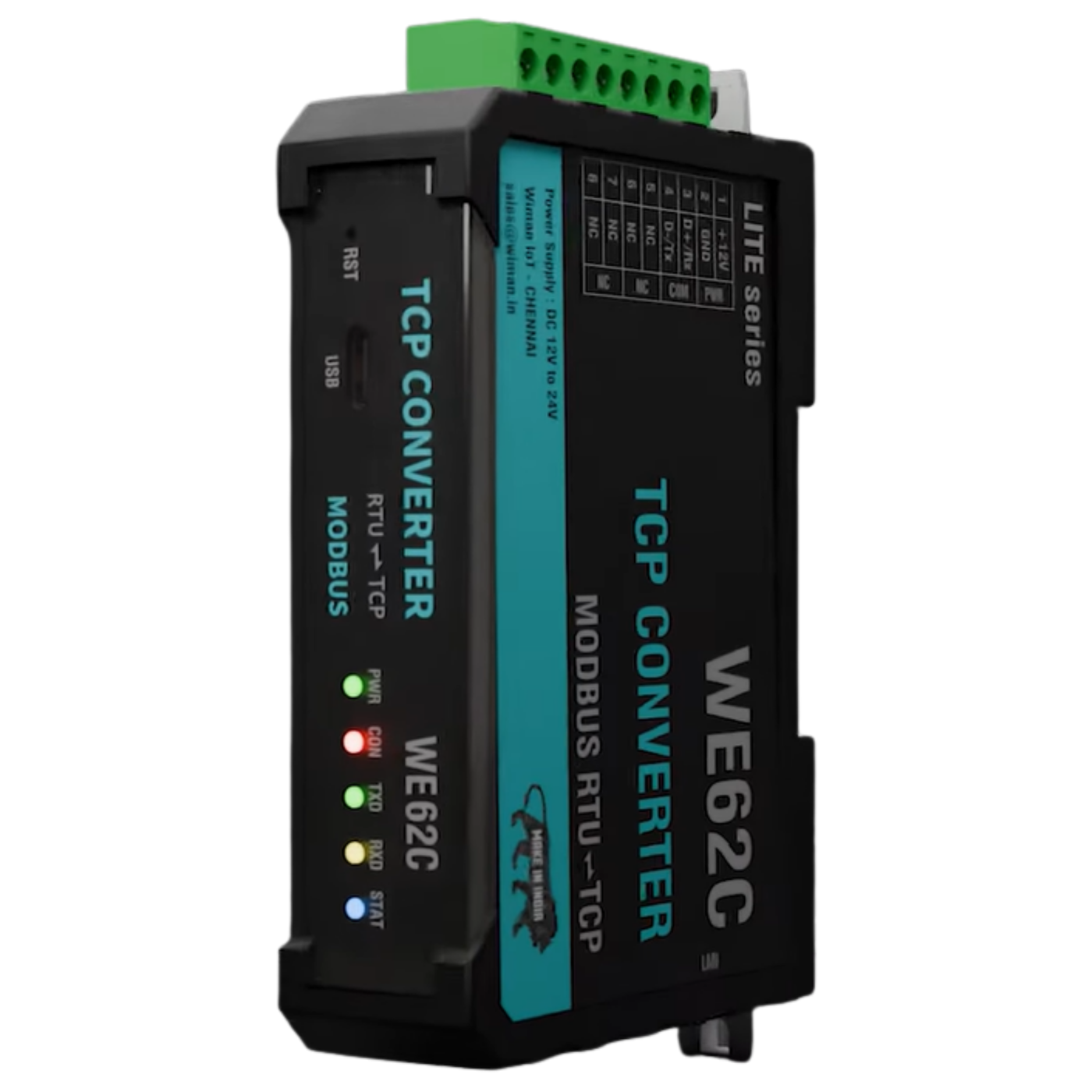 WE62Ctranslates in the middle
RS-485 · 2-wire
Watch the packet — it leaves as a blue Modbus TCP frame, crosses the WE62C, and continues as an amber Modbus RTU frame. Same request, two languages — and the reply comes back the same way.
The converter is not locked to one direction. A dropdown in its web interface switches the role — Modbus RTU Master, Modbus RTU Slave, or a fully transparent serial tunnel — so the same hardware fits whichever side of the network your equipment sits on.
SCADA polls your RS-485 bus
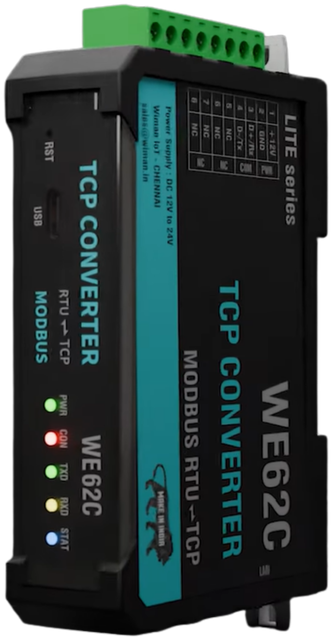 WE62C
WE62CUSE IT WHEN your SCADA or software speaks Modbus TCP, but the meters live on an RS-485 serial bus.
Your serial PLC reaches devices across the network
WE62CUSE IT WHEN a serial PLC or RTU master must read devices that sit across the LAN or at a remote site.
Transparent mode — a raw serial tunnel over Ethernet
WE62CUSE IT WHEN existing serial software must reach a distant serial device over the network — bytes untouched.
Connection role — TCP Server or TCP Client, your choice
WE62CThe WE62C listens on its local port and waits — the remote application (or SCADA) opens the connection to it. Best when the device has a fixed, reachable IP on the LAN.
WE62CThe WE62C dials out to a configured server IP and port — ideal when the device sits behind a router or on cellular, reaching a cloud or central server that cannot reach back in.
One setting does it: set Protocol → TCP Server or TCP Client on the Modbus TCP page. It applies to transparent mode and the Modbus modes alike — the same flexibility whether the WE62C waits for connections or initiates them.
Every WE62C serves this interface from the device itself. Point a browser at its IP and you get status, configuration and a full Modbus diagnostics suite — nothing to install, on any machine on the network. Below is a replica of the two screens that matter most: set the operating mode, then commission and troubleshoot from the same browser. The greyed items are on the real device; this demo just keeps the focus.
One dropdown changes the role. Mode and Protocol are separate settings on the real unit, exactly as shown — pick the operating mode, then whether the converter waits for connections or dials out.
This panel is a replica for demonstration and is not connected to hardware. Screens, field names and defaults match firmware Ver 1.0.00.
A transparent protocol converter has no reason to buffer, so the WE62C does not log data and does not publish onward over MQTT or HTTP. Those are gateway jobs — and if that is what you need, we would rather point you at the right model than sell you this one.
| Function | Modbus TCP ⇄ Modbus RTU — bidirectional |
|---|---|
| Operating Modes | Modbus Master → TCP Slave · TCP Slave → Modbus Master · Transparent (RS232/RS485) |
| Ethernet | 1 × RJ45 LAN |
| Serial | 1 × RS-485 Modbus + 1 × utility/config port |
| Configuration | Built-in web portal · console commands · firmware upgrade from the browser |
|---|---|
| Power | 12–24 V DC |
| LED Indicators | RX · TX · CON · PWR |
Machine connectivity, PLC integration, and production line telemetry in manufacturing environments.
Remote sensing and telemetry for water treatment, distribution, and environmental monitoring.
Power metering, consumption tracking, and grid-edge data collection for energy management systems.
General-purpose edge connectivity for OEM and integrator IoT platforms across verticals.